
M-Pesa Betting: How to Deposit and Withdraw Safely (Step-by-Step)
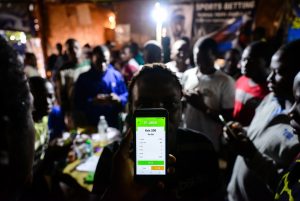
Using M-Pesa with a sportsbook usually works smoothly when the phone number, payment reference, and betting account details all match from the start. Most problems arise between wallet confirmation and the bookmaker’s payment check, or later when a withdrawal triggers KYC, a bonus review, or a name mismatch. The practical approach is not to guess a fixed timeline, but to identify the blocker quickly: an incomplete STK flow, the wrong PayBill or reference, a pending review, inconsistent profile details, or fake “support” asking for private codes
M-Pesa Betting: Deposits, Withdrawals, KYC and How to Isolate a Payment Problem
Most M-Pesa sportsbook issues are easier to solve when you separate the payment itself from the bookmaker’s internal checks. First confirm what happened in the wallet. Then confirm what the betting cashier received. After that, narrow the blocker to matching, verification, bonus restrictions, queue delay, or fraud risk. If you use M-Pesa mainly for football bets, it also helps to review the match context before you stake. See our football predictions page for current match analysis and picks.
How deposits usually move from M-Pesa to a betting balance
A deposit normally starts inside the sportsbook cashier, where a payment request is created for the selected amount and account. You then approve the payment through the M-Pesa flow used by that operator, often via STK push or a PayBill or Till path. The balance is credited only after the bookmaker receives a confirmed payment record that matches the right account reference.
That sequence matters because a missing balance update does not always mean the same thing. Sometimes the wallet payment never completed. Sometimes it completed but has not been matched yet. Sometimes the payment is real, but the reference, phone number, or account details prevent automatic crediting.
What a normal successful deposit looks like
- M-Pesa confirmation: the wallet shows a completed payment and a transaction ID.
- Cashier visibility: the sportsbook transaction history shows either a completed deposit or a clearly visible pending entry.
- Consistent details: amount, phone number, and account reference match what the cashier displayed at the time of payment.
What to do when a deposit is not credited
- Start with proof, not guesses: check whether M-Pesa shows a completed payment. If there is no completion record, treat the attempt as unfinished rather than credited late.
- Check the betting history: a visible pending deposit means the bookmaker has at least registered the attempt and may still be reconciling it.
- Check the matching details: confirm the phone number used, the amount, and any reference or account field shown in the cashier.
- Do not rush into another payment: a second attempt can create a duplicate charge and make reconciliation slower, not faster.
- Escalate with one clean message: support works better when the first message already contains the transaction ID, timestamp, phone number, and account ID.
Deposit not credited • Amount • Timestamp • M-Pesa transaction ID • Phone number used • Betting account ID • Screenshot of cashier status if the pending entry is visible.
Common deposit situations and the next step
- STK prompt appeared, PIN entered, but no confirmation arrived: treat it as incomplete until the wallet shows final completion.
- M-Pesa shows completion, but the sportsbook shows nothing: check the reference and send the transaction ID to support without repeating the payment.
- The sportsbook shows a pending deposit: wait for the matching cycle first and escalate only when the status remains stuck.
Why withdrawals go pending more often than deposits
Withdrawals usually involve more control layers because money is leaving the platform. A pending payout often means the request exists but is being held for review: identity verification, name or phone alignment, bonus restrictions, queue review, or a risk flag caused by recent account changes.
A common mistake is treating every delay as the same kind of payment issue. It is usually faster to identify which check is active than to keep asking support for a generic timeline.
Main reasons a withdrawal stays pending
- KYC still needs approval: unclear documents, expired ID, or a review that remains in submitted status can pause processing.
- Name or phone mismatch: differences between the betting profile and the M-Pesa line owner often trigger manual review.
- Bonus or wagering restrictions: part of the displayed balance may not yet be withdrawable under the promotion terms.
- Queue or manual approval: high-volume periods and compliance checks can slow otherwise valid requests.
- Recent account edits: a new number, profile correction, password reset, or device change can place the request into an additional security review.
What to check first before contacting support
- KYC status: approved is not the same as submitted. Look for the actual final verification state.
- Profile consistency: confirm that the payout number and account identity line up the same way they did during deposits and profile setup.
- Balance composition: confirm whether the amount requested is fully cash balance or still affected by bonus conditions.
- Request history: check whether the payout has a visible request ID and status rather than relying on memory alone.
Withdrawal pending • Withdrawal request ID • Amount • Timestamp • Payout phone number • Betting account ID • Current KYC status.
Common withdrawal situations and the next step
- First withdrawal is pending: check KYC and document clarity before assuming the payout system failed.
- Withdrawal rejected after a profile edit: ask support for the exact mismatch or rule that was triggered, then correct only that point.
- Withdrawal approved but not visible in the wallet: confirm whether the bookmaker shows a payout transaction record and whether the delay is now on the wallet side rather than inside the sportsbook.
KYC: what is usually requested and why it matters for M-Pesa payouts
KYC is not just a formal compliance step. On payouts, it is the main control used to confirm that the account belongs to the right person and that the money is going to the correct recipient. That is why withdrawals often feel stricter than deposits.
Documents and checks you will commonly see
- Proof of identity: a government-issued ID used to confirm legal name and date of birth.
- Selfie or liveness step: used to reduce the risk of stolen document use.
- Proof of address in some cases: required by the operator’s own verification policy, not always by default.
- Phone ownership consistency: checks that the payout number fits the account identity and prior account behavior.
How to reduce verification friction
- Upload clear images: all corners visible, no glare, no heavy compression.
- Keep spelling consistent: small name differences between profile, documents, and payment line can move the case to manual review.
- Avoid repeated edits during review: frequent changes can reset checks or add confusion to the case history.
- Check the operator’s transparency before the issue starts: clear payout rules are easier to work with than vague cashier language.
Fraud checks that matter more than most users expect
Many payment problems are routine reconciliation issues, but scams often arrive disguised as help. A fake agent, a copied PayBill number, or a message asking for PINs and codes can turn a simple support case into a real financial loss. The safest rule is to trust only payment details shown inside the official cashier or confirmed by official support.
Use this security checklist every time
- Never share M-Pesa PINs, one-time codes, SIM toolkit prompts, or remote access to your device.
- Confirm PayBill or Till details only from official sources, not from social messages, comments, or copied screenshots.
- Check the reference field carefully: a typo can route money successfully on the wallet side but delay or block account matching.
- Treat “fast fix” offers as a red flag: anyone asking for money to unlock a withdrawal is not solving your case.
- Keep clean evidence: amount, time, transaction ID, and non-sensitive screenshots are usually enough to support a real investigation.
Troubleshooting playbook: match the symptom to the next action
This is the quickest path through the most common M-Pesa betting issues. Start with what can be proved, then act on the most likely blocker.
M-Pesa shows a completed deposit, but the balance is still missing
The usual causes are reconciliation delay or a mismatch in phone number or reference. Save the transaction ID and timestamp, look for a pending deposit entry, and send one clean support packet instead of opening multiple attempts.
No STK prompt appears, or it arrives too late
This often points to network instability, a delayed request, or a phone-side issue rather than a completed payment. Confirm that the right number was used, wait for the old request to expire, and retry only after the previous attempt is clearly dead.
The deposit attempt fails immediately
Re-check PayBill or Till details, wallet state, amount, and reference. Record the exact error text and time because vague descriptions slow down support more than the failed payment itself.
The withdrawal remains pending
Check KYC first, then name and phone consistency, then whether bonus rules still affect withdrawable balance. Ask support which blocker category is active instead of asking only when the money will arrive.
The withdrawal was rejected without a clear reason
Ask for the exact rule or mismatch behind the rejection and reply with one corrected message that includes the account ID, payout number, and request ID. Multiple edits often make the review longer.
Someone offers a paid shortcut or asks for codes
Stop immediately. Use only official channels, keep screenshots of the approach, and never share private payment or account credentials.
Common mistakes that keep a simple case open too long
- Repeating the same payment too quickly: duplicate attempts are harder to reconcile than one clearly documented case.
- Using another person’s line: ownership mismatch is one of the most common reasons a payout stops for review.
- Ignoring bonus restrictions: a balance can look available while remaining partly locked by wagering terms.
- Trusting unofficial support messages: fake helpers often use urgency to collect codes or fees.
- Editing the profile repeatedly during a pending case: changes that seem harmless can restart checks and push the request back in the queue.
Have the deposit transaction ID or withdrawal request ID ready. Confirm the phone number used. Check whether KYC is fully approved. Review whether any bonus is still active. Make sure you have not created multiple open requests by retrying too quickly.
FAQ
Why does a deposit show as completed in M-Pesa but not in the betting balance?
That usually means the wallet payment finished but the bookmaker has not matched it yet, or the phone number or reference did not match cleanly. Save the transaction ID, check for a pending deposit entry, and send one complete support message.
What does “pending” mean for an M-Pesa sportsbook withdrawal?
It usually means the withdrawal request exists but is being held for review. The most common checks are KYC, a name or phone mismatch, bonus restrictions, queue delay, or a security flag after recent account changes.
Can bonus terms block a withdrawal even if I did not notice anything at the time of deposit?
Yes. A balance can appear available in the account while part of it is still restricted by wagering or promotion terms. That is why a withdrawal issue is not always a payment failure.
Why do deposits work more easily while withdrawals trigger KYC?
Deposits confirm that money is coming in. Withdrawals require the operator to confirm who is receiving the money and whether the payout details match the verified account. That is why KYC pressure is usually higher on the payout side.
Is it safe to use PayBill or Till details sent by someone outside the official cashier?
No. Payment details should come from the official cashier or verified support channels only. Messages from social accounts, copied screenshots, and “helper” chats are common places for fraud attempts.
What should I do if I think I used the wrong PayBill, Till, or reference?
Do not guess or repeat the payment immediately. Save all evidence, check whether the wallet shows final completion, and contact official support with the exact payment details you used and the transaction ID.
Why was a withdrawal rejected without a clear message?
Rejections often happen when a policy rule is triggered but the on-screen message is too generic. Ask support for the exact blocker: verification, payout method consistency, profile mismatch, or a bonus-related restriction.
Can a device change, password reset, or profile edit affect withdrawals?
Yes. Changes that look minor to the user can trigger additional security review on the bookmaker side, especially when a payout request appears soon after the account change.
How can I reduce surprises before choosing a sportsbook for M-Pesa use?
Check how clearly the operator explains KYC, payout rules, bonus restrictions, and payment support. Clear cashier language and predictable support are often more useful than a promotion headline.